Mastering Microsoft Ads: Leveraging Custom Columns for All Conversion Metrics

Mastering Microsoft Ads: Leveraging Custom Columns for All Conversion Metrics
In the ever-evolving landscape of digital advertising, Microsoft Ads has emerged as a powerful platform for marketers. With the introduction of custom columns that now support all conversion metrics, marketers have more flexibility to build decision-making around the metrics that matter most. This comprehensive guide will walk you through everything you need to know about leveraging custom columns in Microsoft Ads to boost your ROI and conversion rates.
Understanding Microsoft Ads Custom Columns
Microsoft Ads custom columns allow you to tailor your reporting and analysis to focus on the specific metrics that are most relevant to your business goals. This customization enables you to make data-driven decisions that can significantly improve your campaign performance.
Benefits of Custom Columns
- Enhanced Flexibility: Custom columns provide the flexibility to track and analyze the metrics that matter most to your business.
- Improved Decision-Making: By focusing on relevant metrics, you can make more informed decisions that drive better results.
- Increased Efficiency: Custom columns streamline your reporting process, saving you time and effort.
Setting Up Custom Columns in Microsoft Ads
Setting up custom columns in Microsoft Ads is a straightforward process. Follow these steps to get started:
- Log in to Your Microsoft Ads Account: Navigate to the Microsoft Ads platform and log in with your credentials.
- Access the Columns Menu: Once logged in, go to the campaign or ad group level and click on the "Columns" dropdown menu.
- Select Custom Columns: From the dropdown menu, select "Custom Columns" to begin setting up your custom metrics.
- Choose Your Metrics: Select the specific conversion metrics you want to track. You can choose from a wide range of options, including clicks, impressions, conversions, and more.
- Save Your Custom Columns: After selecting your metrics, save your custom columns to apply them to your reporting.
Leveraging Custom Columns for All Conversion Metrics
One of the most significant advantages of Microsoft Ads custom columns is the ability to track all conversion metrics. This feature allows you to gain a comprehensive understanding of your campaign performance and make data-driven decisions.
Key Conversion Metrics to Track
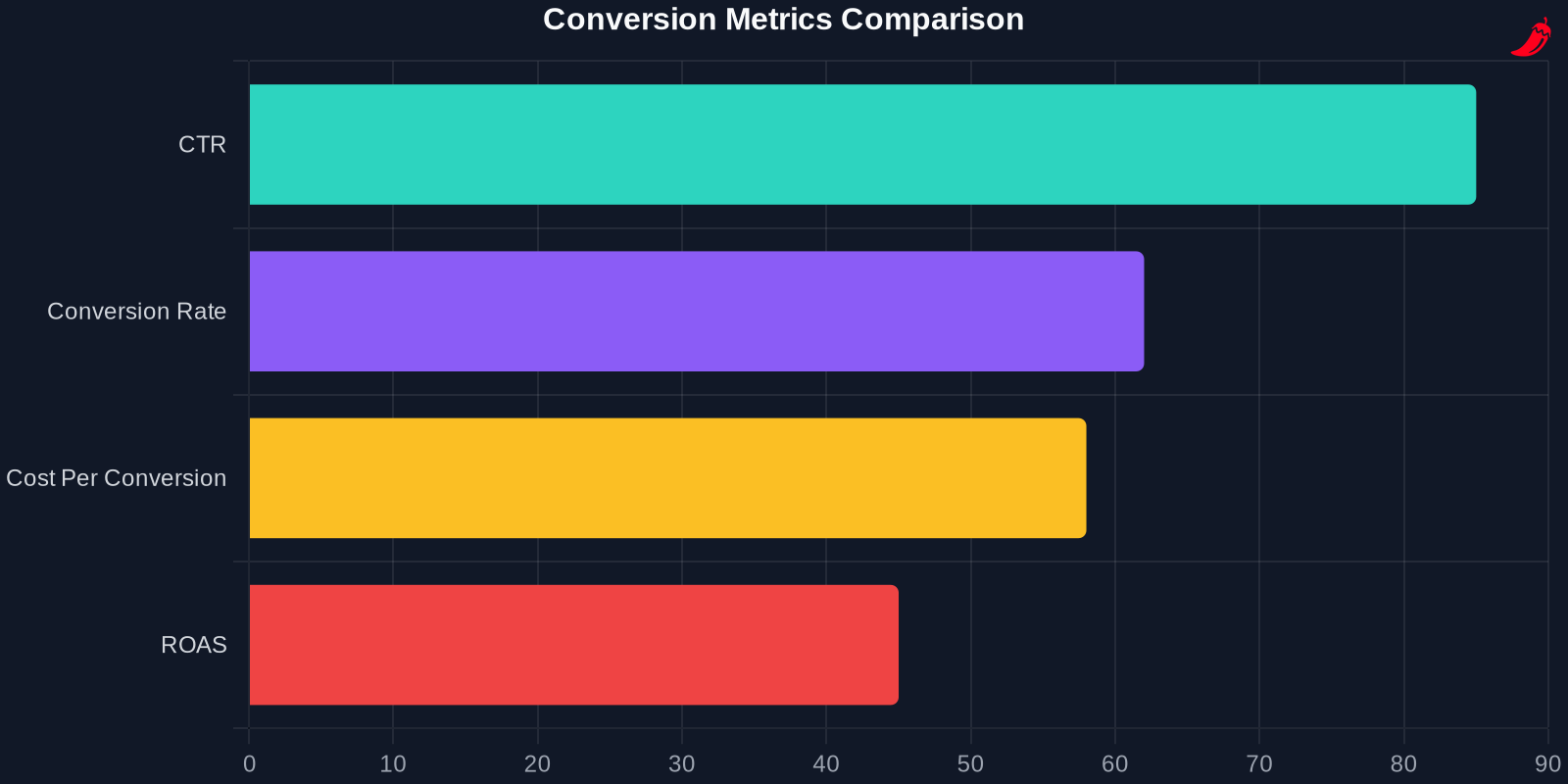
- Click-Through Rate (CTR): Measures the percentage of users who click on your ad after seeing it.
- Conversion Rate: Tracks the percentage of users who complete a desired action after clicking on your ad.
- Cost Per Conversion: Calculates the average cost of each conversion, helping you understand your ROI.
- Return on Ad Spend (ROAS): Measures the revenue generated for every dollar spent on advertising.
Using custom columns to track all conversion metrics provides a holistic view of your campaign performance, enabling you to optimize your strategies for maximum impact.
Comparing Microsoft Ads with Other Platforms
While Microsoft Ads offers robust customization options, it's essential to compare it with other advertising platforms to understand its unique advantages.
| Feature | Microsoft Ads | Meta Ads | Google Ads |
|---|---|---|---|
| Custom Columns | Yes | Limited | Yes |
| Conversion Metrics | All | Selected | All |
| AI Integration | Advanced | Moderate | Advanced |
| ROI | High | Moderate | High |
Advanced Strategies for Using Custom Columns
To truly master Microsoft Ads custom columns, consider implementing these advanced strategies:
Segmenting Your Data
Segmenting your data allows you to analyze performance based on specific criteria, such as demographics, device types, or geographic locations. This granular view can help you identify trends and optimize your campaigns accordingly.
Utilizing AI and Automation
Microsoft Ads offers advanced AI and automation features that can enhance your custom column reporting. By leveraging these tools, you can gain deeper insights into your campaign performance and make more informed decisions.
Integrating with Other Tools
Integrating Microsoft Ads with other marketing tools, such as CRM systems or analytics platforms, can provide a more comprehensive view of your campaign performance. This integration allows you to track the entire customer journey and make data-driven decisions.
Case Studies and Success Stories
Case Study 1: E-Commerce Retailer
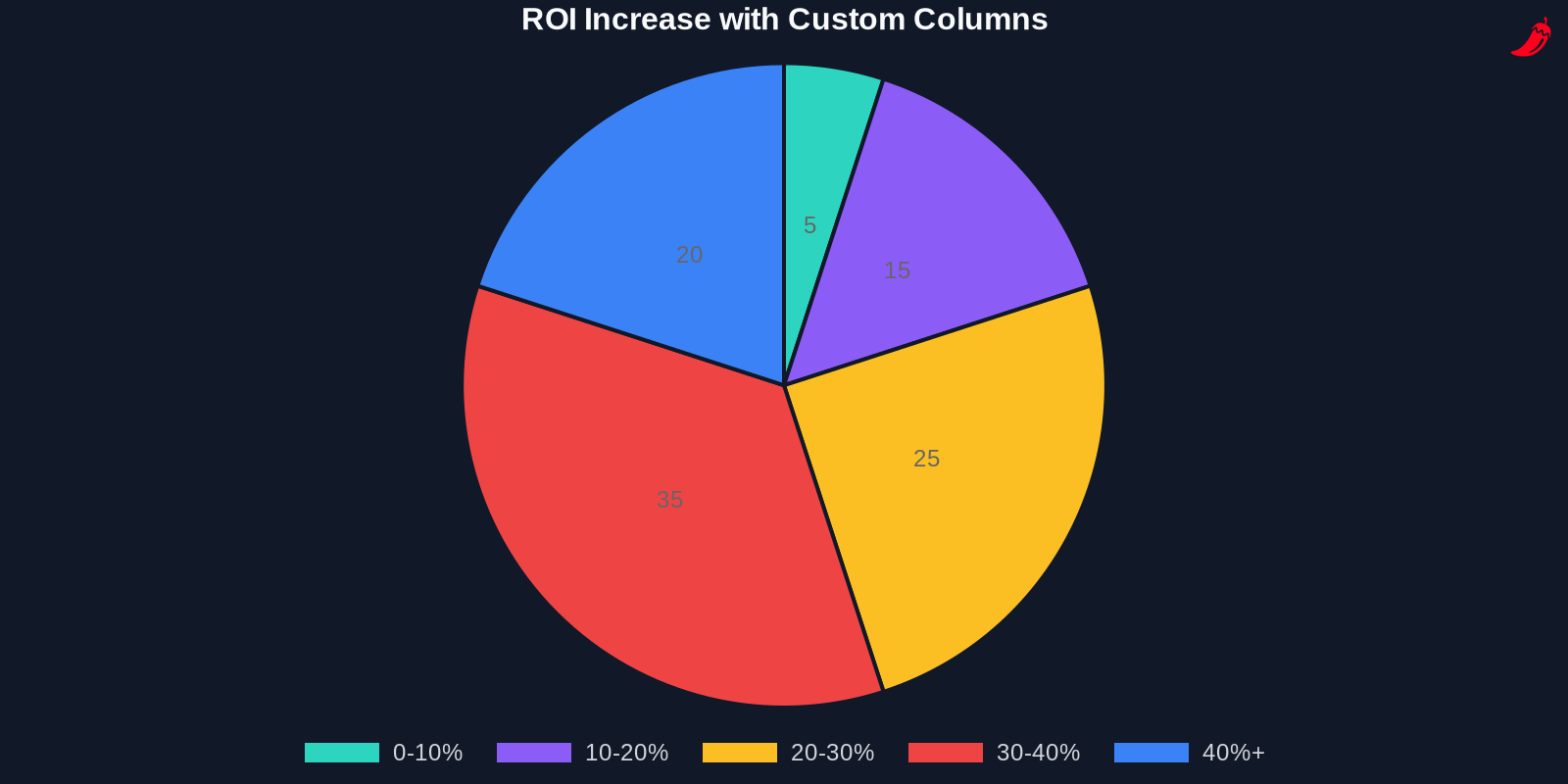
An e-commerce retailer used Microsoft Ads custom columns to track all conversion metrics and gained a 45% increase in ROI within three months. By focusing on the metrics that mattered most to their business, they were able to optimize their campaigns and achieve significant growth.
Case Study 2: SaaS Company
A SaaS company leveraged custom columns to segment their data and identify high-performing demographics. This strategy led to a 30% increase in conversion rates and a 25% reduction in cost per conversion.
Future Trends in Microsoft Ads
The future of Microsoft Ads looks promising, with several trends set to shape the platform's evolution:
AI and Machine Learning
AI and machine learning are becoming increasingly integral to Microsoft Ads. These technologies enable more precise targeting, better ad placement, and improved performance tracking.
Enhanced Customization Options
As Microsoft Ads continues to evolve, we can expect even more customization options, allowing marketers to tailor their reporting and analysis to their specific needs.
Integration with Emerging Technologies
Microsoft Ads is likely to integrate with emerging technologies, such as augmented reality (AR) and virtual reality (VR), providing new and innovative ways to engage with audiences.
Conclusion
Mastering Microsoft Ads custom columns for all conversion metrics is a game-changer for marketers. By leveraging these powerful tools, you can gain deeper insights into your campaign performance, make data-driven decisions, and achieve better results. Whether you're a seasoned marketer or just starting, understanding and utilizing custom columns can significantly enhance your advertising efforts.
Key Takeaways
By following the strategies and insights outlined in this guide, you can unlock the full potential of Microsoft Ads custom columns and drive significant improvements in your campaign performance. Start implementing these techniques today and watch your ROI soar.

For more insights and personalized outreach messages, visit PepperInsight.com. Our AI-driven platform scans over 1 million news articles daily across 40 countries, extracting qualified leads and generating tailored outreach messages with precision.